-
WordPress Block Theme Development from Scratch: The Complete Series Finale (Ep.030)
After 29 intensive episodes, we have finally reached the finish line. We started this journey with a blank folder and a vision: to build a modern, high-performance WordPress block theme…
-
Ep.07 WordPress Demo Import System – Complete Import with Menus and Theme Configuration
Learn how to build a complete WordPress demo import system with XML processing, automatic menu creation, theme.json configuration, and user-friendly cleanup options. Full step-by-step tutorial with working code.
-
Ep.06 Professional WordPress Demo Content – Creating Pixel-Perfect XML Files
Learn how to create professional WordPress demo content with pixel-perfect XML files. Complete guide to WordPress export format, block patterns, theme.json integration, and cohesive design systems for stunning demos.
-
Ep.05: WordPress Plugin Demo Library – Displaying Available Demos
Learn how to create a WordPress plugin demo library with static demo listings. Step-by-step guide to displaying available demos, adding demo information, and creating an import interface for beginners.
-
Ep.04: WordPress Plugin Settings Integration – Adding Settings to Theme Options
Learn WordPress plugin settings integration with theme options using hooks. Step-by-step guide to adding custom tabs, extending theme settings, and seamless plugin-theme integration for beginners.
-
Ep.03: WordPress Plugin Theme Compatibility Check – Ensuring Versana is Active
Learn how to add WordPress plugin theme compatibility checking with simple if/else code. Step-by-step guide to detect active themes, show admin notices, and prevent plugin errors for beginners.
-
Ep.029: After WordPress Theme Approval – Next Steps for Your Approved Versana Theme
Learn what to do after WordPress theme approval. Complete guide covering post-approval tasks, marketing strategies, user support, updates, and planning your theme’s future growth with real approval example.
-

Ep.02 How to Create a WordPress Plugin – Building Versana Companion Plugin from Scratch
Learn how to create a WordPress plugin from scratch with simple, beginner-friendly code. Complete step-by-step guide to building Versana Companion plugin without complex OOP. Perfect for beginners!
-

Weebly SEO Headlines: How to Add Proper H1-H6 Heading Tags to Weebly for Better SEO
Learn how to add proper H1-H6 HTML heading tags to Weebly using the Weebly SEO Headlines app. Fix Weebly’s biggest SEO limitation and improve your on-page optimization with semantic heading…
-
Ep.01 Building a WordPress Theme Companion Plugin – Demo Import & Premium Features Strategy
Learn how to build a WordPress theme companion plugin with one-click demo import, premium features, and freemium monetization. Complete guide to creating a best-selling theme ecosystem like Blocksy.
-
Introducing the Codoplex All-Access Subscription: Every Weebly App, Every Site — $49.99/Year
The Codoplex all-access subscription unlocks all 17 premium Weebly apps across every website on your account for $49.99/yr. Get Mega Menu, SEO Headlines, Video Lightbox, and 14 more with one…
-
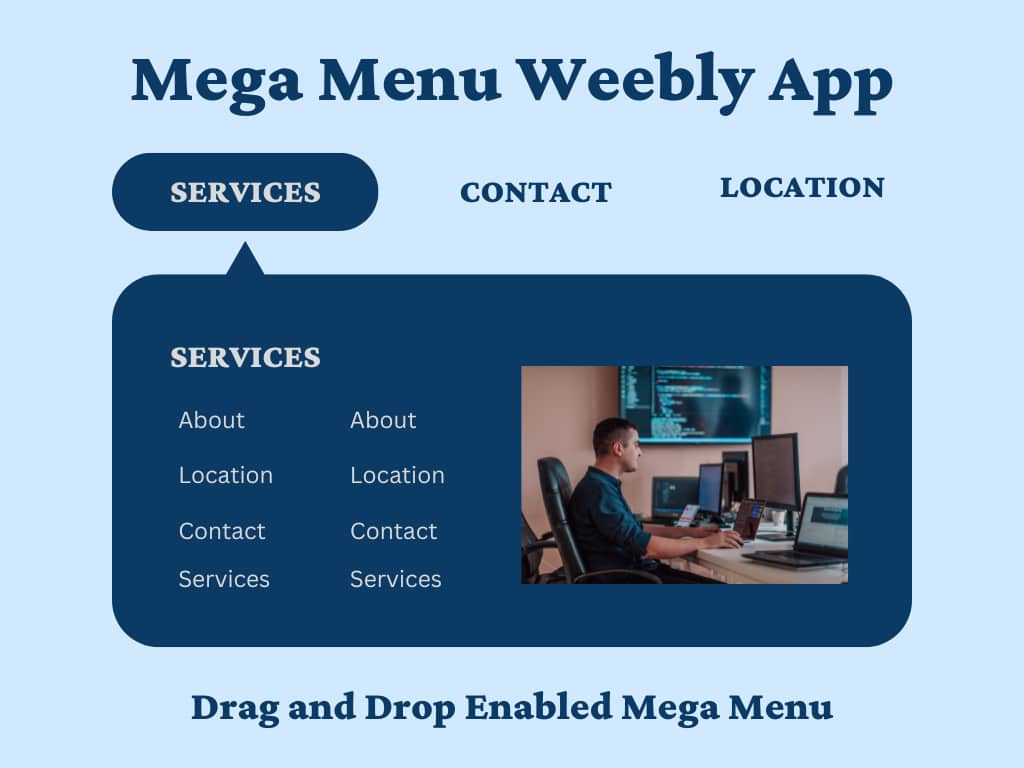
How to Add a Weebly Mega Menu to Your Weebly Website (No Coding Required)
Learn how to add a professional Weebly mega menu with drag-and-drop ease. The Codoplex Mega Menu app brings multi-column dropdown navigation to any Weebly site without coding.
