
Views: 151
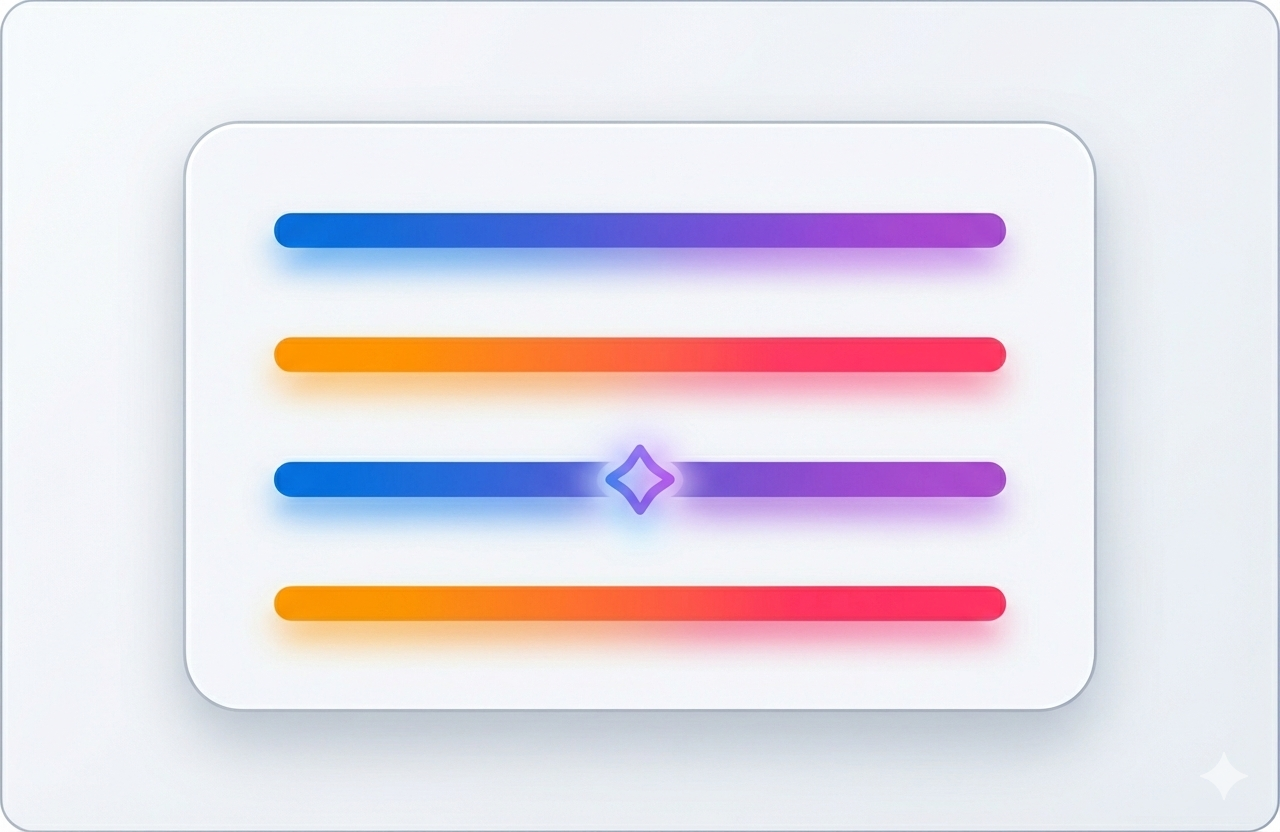
Transform your Weebly website with beautiful gradient line dividers and glowing effects in the new Colored Lines v1.0.2 update.
Are you looking to add professional gradient line divider for Weebly to your website? The new Colored Lines v1.0.2 brings powerful design features that transform simple line separators into eye-catching visual elements—all without writing a single line of code.
What’s New in Colored Lines v1.0.2
The latest update introduces three major feature sets that make Colored Lines the most advanced gradient line divider for Weebly available in the App Center.
1. Beautiful Gradient Effects
Create stunning color transitions with our new gradient system. Choose from three directional options:
- Left to Right – Classic horizontal gradient perfect for modern designs
- Right to Left – Reversed gradient for unique visual flow
- Top to Bottom – Vertical gradient for dramatic effect
Each gradient line divider for Weebly can use any two colors, giving you unlimited design possibilities. Whether you want subtle transitions or bold contrasts, the gradient controls put you in complete command.
2. Glowing Effects That Pop
Make your dividers truly stand out with customizable glow effects. Control both the glow color and intensity (0-50px) to create everything from subtle halos to dramatic neon-style lines. This feature is perfect for:
- Highlighting important sections
- Creating modern, tech-inspired designs
- Adding depth to minimalist layouts
- Drawing attention to calls-to-action
3. Seven Decorative Styles
Choose from seven ornament styles to enhance your gradient line divider for Weebly:
- Dots at Ends – Clean, modern endpoints
- Arrows at Ends – Directional flow indicators
- Diamond at Center – Geometric focal point
- Circle at Center – Classic ornamental style
- Star at Center – Eye-catching centerpiece
- Heart at Center – Perfect for lifestyle and personal sites
Every decoration is fully customizable in both size (5-30px) and color to match your brand perfectly.
Enhanced Customization Options
Beyond gradients and glows, v1.0.2 expands your control over every aspect of your line dividers:
Border Radius Control
Round your line ends from sharp corners (0px) to fully rounded (50px) for a softer, more modern look. This works beautifully with gradient effects to create pill-shaped dividers.
Precise Spacing
- Top/Bottom Margins: 0-200px for perfect section spacing
- Left/Right Padding: 0-100px for content breathing room
- Alignment Options: Left, center, or right positioning
Size Flexibility
- Width: 1-100% to fit any layout
- Height: 1-50px from delicate lines to bold separators
Why Choose Colored Lines for Your Weebly Site?
1. No Coding Required
Every feature is accessible through an intuitive settings panel with helpful tooltips. Just drag, drop, and customize—no CSS or HTML knowledge needed.
2. 100% Backward Compatible
Upgrading from v1.0.1? Your existing dividers continue working exactly as before. New features are optional enhancements you can explore at your own pace.
3. Mobile Responsive
All gradient line dividers for Weebly automatically adapt for perfect display on smartphones, tablets, and desktops. Your designs look professional on every device.
4. Lightning Fast
Optimized code ensures your dividers load quickly without impacting page speed—critical for SEO and user experience.
Perfect Use Cases
Blog Posts
Separate article sections with elegant gradient dividers that guide readers through your content naturally.
Business Websites
Add professional polish to corporate pages with subtle gradient effects that enhance credibility.
Portfolio Sites
Make your work stand out with creative decorative dividers that showcase your attention to design detail.
E-commerce Stores
Organize product categories with distinctive dividers that improve navigation and visual hierarchy.
Landing Pages
Draw attention to key sections with glowing dividers that increase engagement and conversions.
How to Get Started
- Install from Weebly App Center Search for “Colored Lines” and click install—it takes just seconds.
- Drag and Drop Add the element anywhere on your page, post, or product page.
- Customize Open the settings panel and explore the five organized groups:
- General Settings
- Gradient Settings
- Glow Settings
- Decoration Settings
- Advanced Settings
- Publish Save your changes and watch your gradient line dividers for Weebly come to life.
Real-World Design Tips
Modern Corporate Look
- Use subtle gray-to-white gradients
- Keep glow disabled for professionalism
- Choose center alignment with moderate width (70-80%)
Creative Portfolio Style
- Try bold color combinations (blue to purple, orange to pink)
- Add moderate glow (15-20px) for pop
- Use star or diamond decorations for focal points
Minimalist Design
- Single color lines with slight gradient (same color family)
- Small border radius (5-10px) for softness
- No decorations, center alignment
E-commerce Energy
- Bright gradient combinations matching brand colors
- Moderate glow for attention without overwhelming
- Arrows or dots to guide shopping flow
Technical Excellence
Behind the beautiful designs is robust technical implementation:
- Separate editor and frontend JavaScript for optimal performance
- CSS-based decoration visibility for efficiency
- Native Handlebars templating following Weebly best practices
- Comprehensive error handling with detailed console logging
- Mobile-first responsive design
Pricing and Availability
Colored Lines v1.0.2 is available now in the Weebly App Center. The upgrade is free for existing users, with all new features included at no additional cost.
What Users Are Saying
“The gradient effects are exactly what I needed to modernize my blog. Installation took 30 seconds, customization took 2 minutes. Perfect!” – Sarah M., Food Blogger
“Finally, a gradient line divider for Weebly that actually works well and looks professional. The glow effect is my favorite feature.” – Michael T., Web Designer
“I was nervous about upgrading, but my existing dividers still work perfectly. Now I’m slowly updating them with the new features.” – Jennifer L., Small Business Owner
The Bottom Line
Colored Lines v1.0.2 transforms simple line dividers into professional design elements. With gradient line dividers for Weebly, glowing effects, and decorative ornaments, you have everything needed to create stunning visual separators that enhance your website’s aesthetic.
The combination of powerful features and intuitive controls makes this the go-to solution for Weebly users who want professional results without coding complexity.
Get Colored Lines Today
Ready to elevate your Weebly website design? Install Colored Lines from the Weebly App Center and start creating beautiful gradient line dividers for Weebly in minutes.
More Resources
Colored Lines is developed by Codoplex, creators of SEO Headlines, Multi Column Blog, Video Lightbox, and Masonry Layout for Weebly.
Keywords: gradient line divider for Weebly, Weebly divider app, colored lines Weebly, line separator Weebly, gradient divider, Weebly customization


Leave a Reply