
Views: 38
After years of building individual Weebly apps and listening to feedback from thousands of users, we’re excited to announce the Codoplex all-access subscription — a fundamentally different way to access the entire Codoplex app library. Instead of subscribing to apps one-by-one or paying per-website for each tool you need, one annual subscription now whitelists your Weebly User ID and unlocks all 17 Codoplex apps across every Weebly website on your account.
This isn’t just a bundle or a discount — it’s a complete restructuring of how Codoplex apps work. Whether you manage one Weebly site or ten, whether you need two apps or all seventeen, the Codoplex all-access subscription gives you unlimited use of the entire toolkit for a single annual price. And when we release new apps in the future, they’re automatically added to your subscription at no extra cost.
This post covers everything you need to know: what’s included, how the subscription works, who benefits most, pricing details, and how to get started. If you’ve been using individual Codoplex apps or considering which ones to subscribe to, this changes the calculation entirely.
In This Post
- What Is the Codoplex All-Access Subscription?
- How the Account-Wide Whitelist Works
- All 17 Apps Included in Your Subscription
- The Top 5 Highest-Rated Codoplex Apps
- Who Should Get the All-Access Subscription?
- Pricing: All-Access vs Individual Apps
- How to Subscribe and Activate
- Frequently Asked Questions
What Is the Codoplex All-Access Subscription?
The Codoplex all-access subscription is a single annual subscription product that unlocks every Codoplex Weebly app across your entire Weebly account. Here’s what makes it fundamentally different from how most Weebly apps are sold:
- Account-level, not site-level — Most Weebly apps charge per website. The all-access subscription charges per Weebly User ID, meaning every website associated with your account is covered.
- All apps included — You get access to all 17 current Codoplex apps, not just one or two. Mega Menu, SEO Headlines, Video Lightbox, Masonry Layout, Timeline, Auto Popup, Progress Bar, and 10 more.
- Future apps automatically included — When Codoplex releases new apps and publishes updated versions, they’re added to your subscription at no additional cost.
- One-time annual payment — $49.99 per year. No monthly fees, no per-app charges, no surprises.
- Extended priority support — All-access subscribers get prioritized responses from the Codoplex developer team.
This model is rare in the Weebly App Center ecosystem. Most app bundles or multi-app subscriptions still charge per website or limit you to a subset of apps. The Codoplex all-access subscription does neither — it’s truly unlimited access to the full Codoplex library for your entire Weebly account.
How the Account-Wide Whitelist Works
The technical implementation of the Codoplex all-access subscription is what enables the account-wide coverage. When you subscribe:
- Your Weebly User ID is whitelisted — Every Weebly account has a unique User ID. When you subscribe to the all-access plan through the Weebly App Center, your User ID is immediately added to the Codoplex whitelist system.
- All sites on your account are authorized — Because the whitelist is tied to your User ID (not individual site IDs), every Weebly website associated with your account is automatically authorized to use all included apps.
- Install once per site — To activate the apps on a specific site, you install the “Codo Apps” app from the Weebly App Center on that site. Because your User ID is whitelisted, all 17 app widgets immediately appear in your drag-and-drop editor.
- Repeat across all your sites — Do the same on every other Weebly site you manage under the same account. Each installation takes 30 seconds and unlocks the full library.
This is why the subscription scales so well. If you have three Weebly sites today and launch two more next month, those two new sites are automatically covered — just install the Codo Apps app and the full library unlocks. No additional subscription purchase needed.
All 17 Apps Included in Your Subscription
Here is the complete list of apps included in the Codoplex all-access subscription. These cover navigation, layout, content, media, SEO, and conversion — essentially every area where Weebly’s default editor needs extension:
- 🍔 Mega Menu
- 🔍 SEO Headlines
- 🎬 Video Lightbox
- 🖼️ Masonry Layout
- 📑 Post Columns
- 🗂️ Codo Tabs
- ✨ Image Overlay
- ➖ Vertical Lines
- 📊 Progress Bar
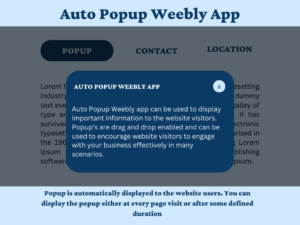
- 💬 Auto Popup
- 📌 Tab Headers
- 🍞 Breadcrumb
- 🖼 Image Text
- 📅 Timeline
- 📰 Multi Column Blog
- ↕️ Vertical Tabs
- 🌈 Colored Lines
Each app link above goes to its individual listing in the Weebly App Center where you can see screenshots, read detailed descriptions, and view user reviews. But with the Codoplex all-access subscription, you don’t need to subscribe to any of them individually — one subscription gives you the entire collection.
The Top 5 Highest-Rated Codoplex Apps
While all 17 apps are included in the subscription, these five have consistently received five-star ratings from Weebly users and represent the most popular tools in the Codoplex library:
1. Video Lightbox — 🎬 ⭐⭐⭐⭐⭐
Video Lightbox displays YouTube and Vimeo videos in a responsive overlay that opens on click. Instead of embedding videos inline (which loads heavy iframes on page load), Video Lightbox shows a thumbnail and only loads the video player when a visitor clicks. This keeps pages fast, gives you full control over thumbnail images, and creates a more cinematic presentation for showreels, testimonials, product demos, and course previews. Individually priced at $9.99/yr per website — included in the all-access subscription.
2. SEO Headlines — 🔍 ⭐⭐⭐⭐⭐
SEO Headlines is arguably the most important SEO app for Weebly. Weebly’s default text elements don’t render as semantic HTML heading tags — which means search engines can’t properly understand your page structure. SEO Headlines lets you place true H1, H2, H3, H4, H5, and H6 tags anywhere on your Weebly pages, giving you the on-page SEO control that custom-coded sites have by default. If you only installed one Codoplex app, this would be it. Included in the all-access subscription.
3. Masonry Layout — 🖼️ ⭐⭐⭐⭐⭐
Masonry Layout brings Pinterest-style card grids to Weebly. You can create 1, 2, or 3-column layouts where cards of varying heights auto-flow to fill the columns cleanly. Each card can contain an image, description text, and a button — making it ideal for photography portfolios, product showcases, team directories, and any visual content that benefits from a masonry grid rather than a rigid equal-height layout. Included in the all-access subscription.
4. Image Overlay — ✨ ⭐⭐⭐⭐⭐
Image Overlay adds hover effects to images on your Weebly site. You choose from five effect styles — color overlays, slide-in text, zoom effects, and more — to make portfolio images, product shots, and team photos respond to mouse interaction. It’s a subtle but powerful way to add visual polish and interactivity without loading separate pages or complex JavaScript. Included in the all-access subscription.
5. Timeline — 📅 ⭐⭐⭐⭐⭐
Timeline adds responsive, drag-and-drop timeline widgets to Weebly pages. Each timeline item includes a date, heading, and description, and the widget supports multiple color themes. Timelines are powerful storytelling tools for company history pages, product development journeys, event schedules, personal milestones, and project case studies. This is one of the most visually distinctive apps in the Codoplex catalog. Included in the all-access subscription.
These five apps alone represent significant value — if you purchased them individually on a per-site basis, the cost would exceed the all-access subscription price before you even touched the other 12 included apps.
Who Should Get the All-Access Subscription?
The Codoplex all-access subscription makes the most financial and practical sense for these user profiles:
Multi-Site Owners and Managers
If you manage two or more Weebly websites under the same account, the all-access subscription is a no-brainer. One subscription covers all of them. No per-site multiplication of costs. Whether you run three client sites, five personal projects, or ten business properties, they all get access to the full Codoplex toolkit for one annual fee.
Weebly Designers and Freelancers
Designers and freelancers building Weebly sites for clients under a single account gain instant access to the entire Codoplex library across every project. You can offer clients Mega Menu navigation, Video Lightbox media, SEO Headlines optimization, and Masonry Layout portfolios without worrying about per-project app costs eating into your margins.
Users Planning to Use 3+ Codoplex Apps
Even if you only manage one Weebly site, the math works out if you need more than two or three apps. Video Lightbox is $9.99/yr individually. Add SEO Headlines, Masonry Layout, and Mega Menu, and you’re already approaching the all-access price — but with only four apps instead of seventeen. If you’re building a feature-rich Weebly site, the all-access subscription is the cost-effective choice.
Anyone Tired of Managing Multiple App Subscriptions
If you’re currently subscribed to multiple Codoplex apps individually and finding it cumbersome to track renewal dates, per-site costs, and which apps are active on which sites, the all-access subscription simplifies everything. One subscription, one renewal date, one payment, complete coverage.
Pricing: All-Access vs Individual Apps
Let’s break down the numbers. The Codoplex all-access subscription is $49.99 per year. This is a flat rate that covers:
- All 17 current Codoplex apps
- Every Weebly website on your account (no per-site charges)
- All future Codoplex apps as they’re released
- Extended priority developer support
Codoplex All-Access Subscription
$49.99/year
- ✓ All 17 apps
- ✓ Every site on your account
- ✓ Future apps free
- ✓ Priority support
Compare that to buying apps individually. Video Lightbox is $9.99/yr per website. If you need it on three sites, that’s $29.97/yr for one app. Add SEO Headlines, Masonry Layout, and Mega Menu across those same three sites, and you’re well over $100/yr — for just four of the seventeen included apps, on just three sites.
The all-access subscription removes the cost-per-site math entirely. Whether you have one site or ten, whether you use three apps or all seventeen, the price stays the same: $49.99/yr.
How to Subscribe and Activate
Getting started with the Codoplex all-access subscription takes less than five minutes:
Step 1: Subscribe Through the Weebly App Center
Go to the Codo Apps listing in the Weebly App Center while logged into your Weebly account. Click “Add” and complete the annual subscription checkout at $49.99. Your Weebly User ID is whitelisted immediately.
Step 2: Install Codo Apps on Your Weebly Sites
Open any Weebly website on your account and install the “Codo Apps” app from the App Center. Because your User ID is whitelisted, all 17 app widgets immediately appear in your drag-and-drop editor. Repeat this step on every other Weebly site you manage under the same account.
Step 3: Start Using the Apps
Drag any of the 17 app widgets onto your pages, configure their settings, and publish. There’s no additional activation or per-app setup required — if your User ID is whitelisted, the apps work immediately.
That’s it. From subscription to full access across all your sites: three steps, five minutes.
Frequently Asked Questions
Does the all-access subscription really cover all my Weebly websites?
Yes. The subscription is tied to your Weebly User ID, not to individual website IDs. Every Weebly site associated with your account is automatically authorized. Whether you have two sites today and launch three more next month, or you manage ten sites from day one, they’re all covered by one subscription.
What if I already subscribe to individual Codoplex apps?
You can subscribe to the all-access plan and let your individual app subscriptions expire at their next renewal. Once your User ID is whitelisted through the all-access subscription, you’ll have access to those apps (plus the rest of the library) account-wide. There’s no prorated refund for existing subscriptions, but you can time the all-access subscription to coincide with your next renewal cycle.
Are future Codoplex apps really included for free?
Yes. When Codoplex releases new apps and publishes updated versions of the Codo Apps bundle, those new apps are automatically added to your subscription at no additional cost. This has always been part of the all-access model — your subscription covers the full Codoplex library as it exists today and as it grows in the future.
Can I get a refund if the subscription doesn’t work for me?
Refunds are not available for the all-access subscription. Because your Weebly User ID is whitelisted immediately upon subscription and the bundle integrates multiple interdependent apps across your account, refunds cannot be processed. We strongly recommend viewing the live demo site and exploring individual app listings before subscribing.
How do I get support for the apps?
All-access subscribers receive extended priority support from the Codoplex developer team. You can reach out via the Codoplex support page or by direct email. Subscription holders are prioritized above individual app subscribers when support requests are reviewed.
Is the all-access subscription worth it if I only need a few apps?
If you only manage one Weebly site and only need one or two apps, individual subscriptions may be more cost-effective. But if you plan to use three or more apps, or if you manage multiple sites, the all-access subscription quickly becomes the better value. It also future-proofs your toolkit — as your Weebly projects grow and you need additional functionality, the apps are already available at no extra cost.
Get Started with the Codoplex All-Access Subscription Today
The Codoplex all-access subscription represents the most comprehensive, cost-effective way to access professional Weebly app functionality across your entire account. Whether you’re a multi-site manager, a Weebly designer building client projects, or a power user who wants the complete Codoplex toolkit without juggling individual subscriptions, this is the subscription model you’ve been waiting for.
All 17 apps. Every Weebly site on your account. All future apps automatically included. Extended priority support. One annual payment.
Subscribe to Codoplex All-Access
$49.99/yr — Account-wide access to all 17 apps + future releases
Questions about the all-access subscription or how it works with your specific Weebly setup? Contact the Codoplex team via the support page. Subscription holders receive prioritized responses.


Leave a Reply